BOOKMARKS & SHARING
Bookmarks
Primary sources from around the world, in one place.
Organize them with marks and notes, and share them with a link.
- Save from any search tool
- 30-day share links
- No credits for saving or sharing
What you can do
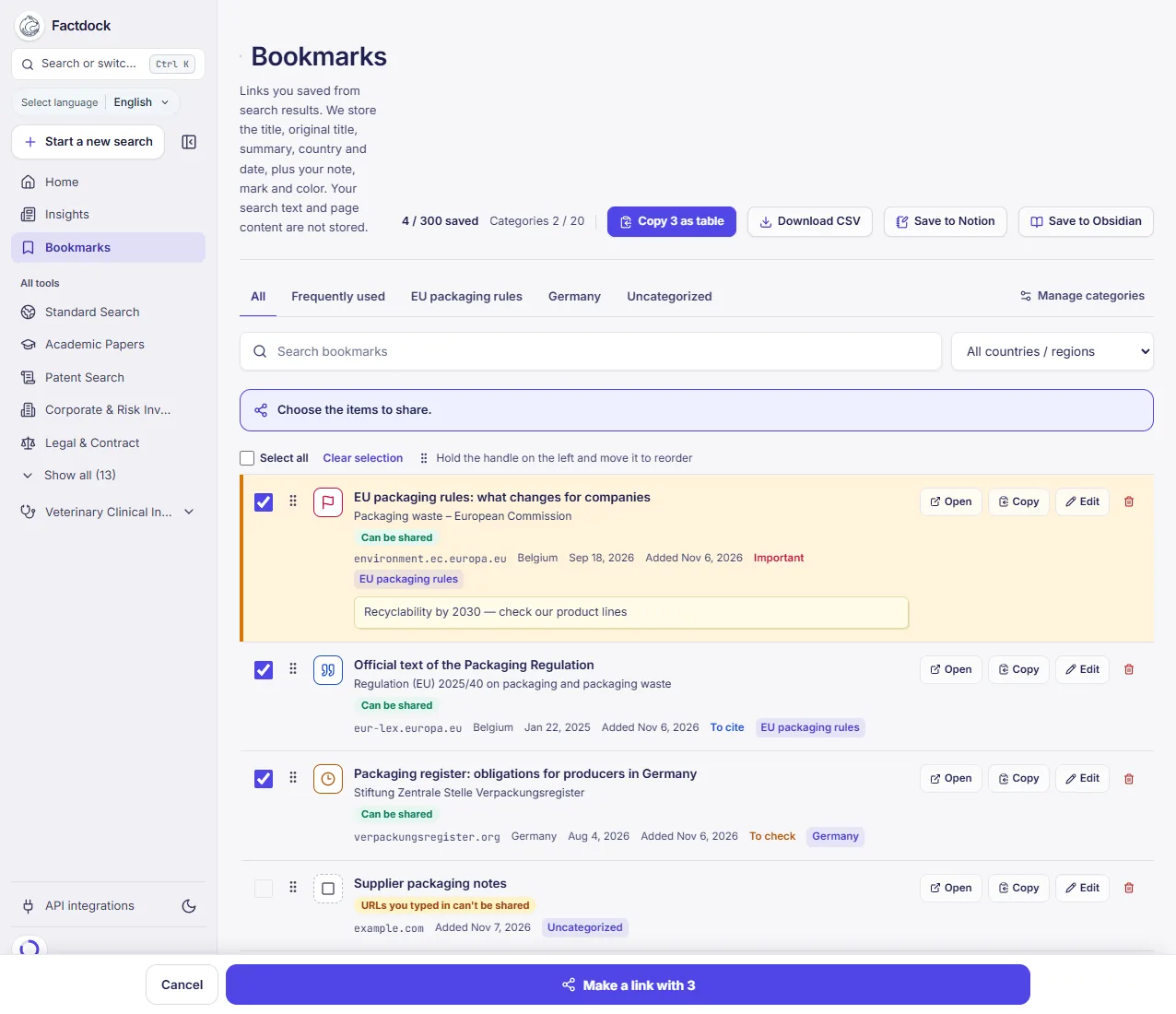
Save the results you find together with their title, original title, summary, country and publication date. Your search text and the page content are not saved.
Save from any tool
Save results from every search tool and Insights articles. You can also add one by pasting a URL.
Organize with marks, colors and notes
Categories, marks such as “important” or “quote”, row colors and notes make things easy to find later. You can reorder them too.
Filter by country and category
Filter and search by country or region, category, or the ones you use most.
Copy as a table, CSV, Notion, Obsidian
Paste the ones you choose as a table into Word, Excel or Gmail. You can also save them as CSV or to note apps.
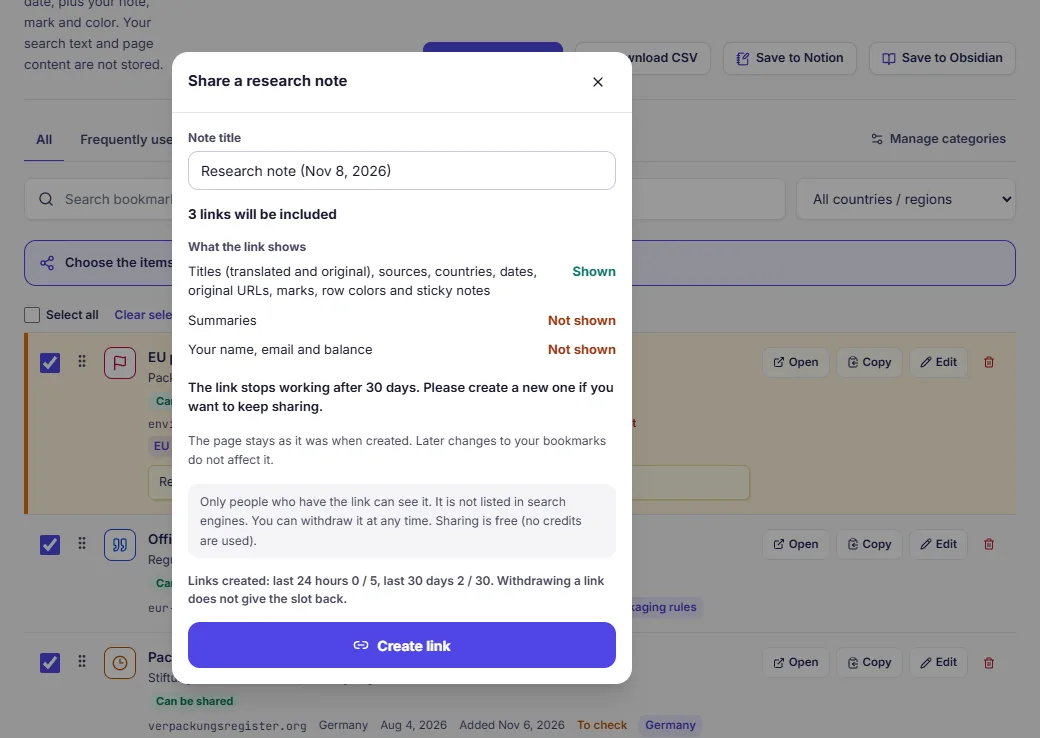
Share with a link (30 days)
Turn the ones you choose into a page that only people with the link can see. It is not listed by search engines.
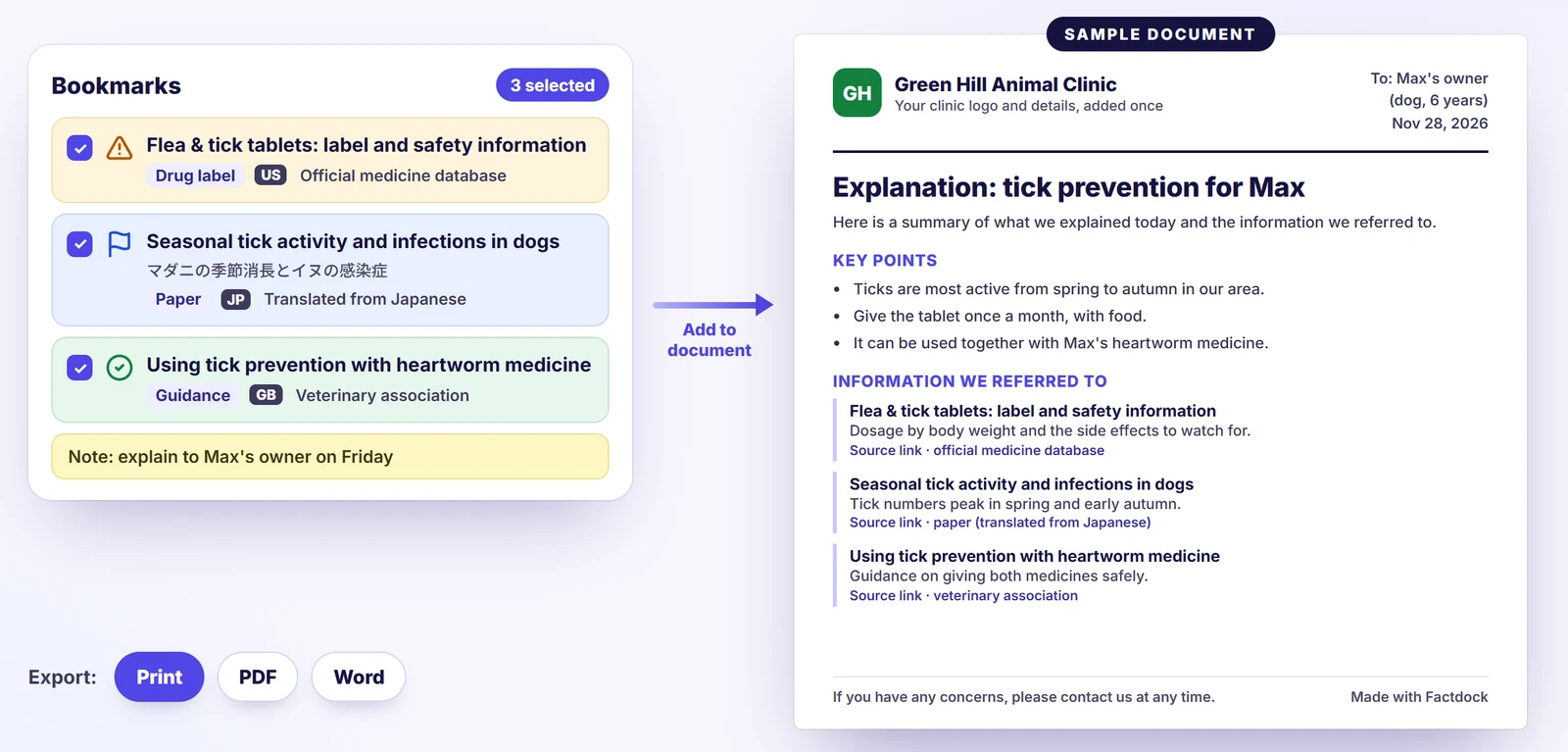
Straight into a document
Put the bookmarks you choose into a Work documents template to make a report or memo.
How to use it
- 1
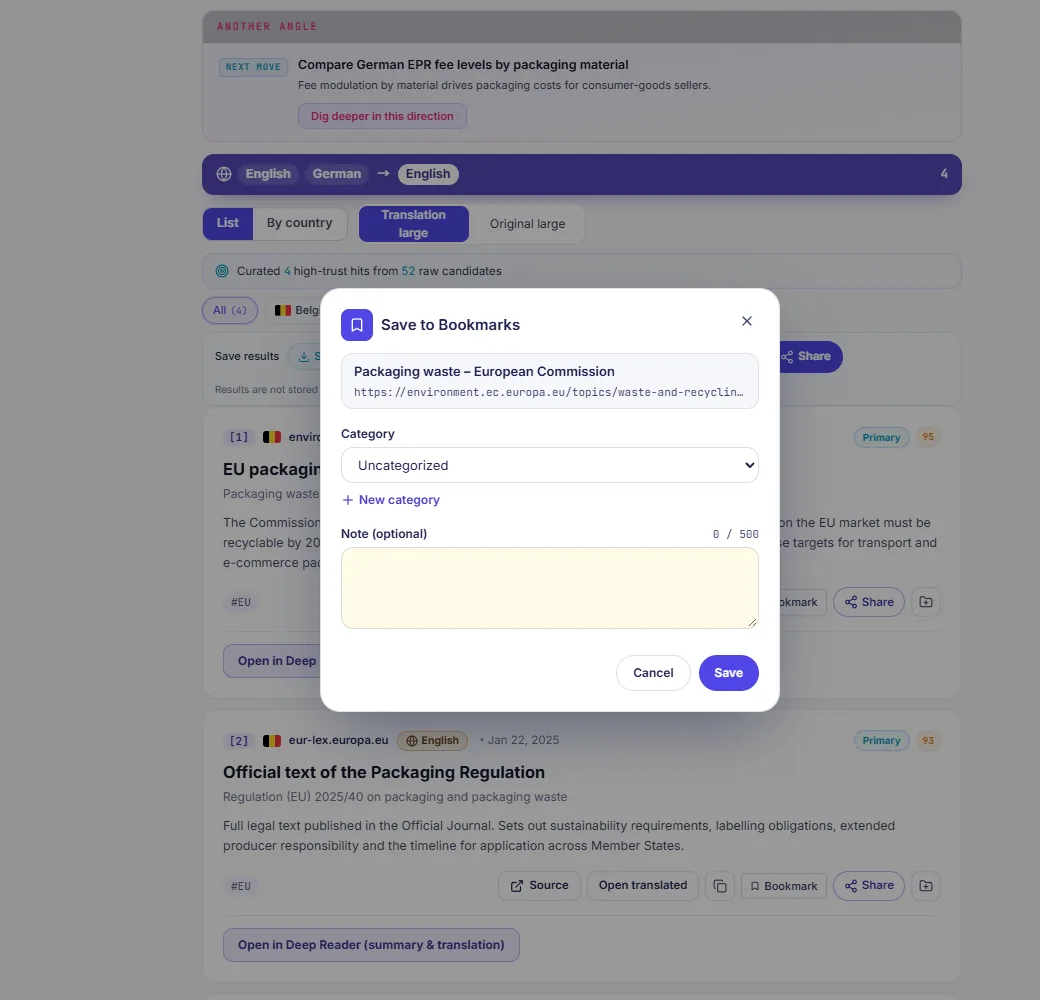
Save a result to Bookmarks
Press “Bookmark” next to a result, choose a category, add a note if you like, and save.
- 2
Organize with marks and notes
Open Bookmarks to see the list. Add marks and row colors, and filter by country or category.
- 3
Select, then share, document or export
Tick the ones you want, then share with a link, add to a document, copy as a table, save as CSV and more.
From bookmarks to a document
Select your bookmarks and put them into your own template. An example with sample data.
When it helps
Trade and sales
When you keep regulations and partner information for each country in one category per project
Researchers
When you keep the papers and official announcements you read, with their original titles
Teams
When you let people outside your company see the sources you found, with a single link
Professionals
When you make a document for a client straight from the primary sources you saved
No credits used
How many items you can save depends on your plan (from 50 on Starter). Saving to Bookmarks and sharing with a link use no credits.
Frequently asked questions
What is saved?
The URL, title, original title, summary, country and publication date, plus the marks, colors and notes you add. Your search text and the page content are not saved.
Who can see a shared page?
Only people who have the link. It is not listed by search engines. It stops working after 30 days, and you can revoke it at any time.
Can I share with my company?
With Enterprise, you can share them as team bookmarks.
Access the world's knowledge with Factdock
Not sure where to start? Begin with the free demo: try it, read, and once you're convinced, start with 50% off your first month.
Start from $3Create an account in a minute. Starter and above are 50% off for the first 30 days. A credit card is required to sign up.