WORK DOCUMENTS
Work documents
Choose search results and turn them into documents you can hand to clients.
Pick a template made by experts, then save as Word or PDF, or print.
- Free (uses no credits)
- Community templates
- Word, PDF, print
What you can do
The results you choose go into fixed places in a template automatically. You can edit the text right there, and continue fine adjustments by opening the file in Word.
Results go in with a tick
Tick results in Standard Search or Bookmarks and press “Add to document”. The title, summary, country, date and URL go in.
Choose a template and use it
Templates made by experts and other users are shown as page previews. Find one by category and use it as it is.
Your logo and details are added automatically
Register your logo, company name, address and contact person once, and they appear on the cover of every document.
Edit on the spot, then Word, PDF or print
Tap any text to edit it right there. Besides Word, PDF and print, you can also send it to Notion or Obsidian.
Arrange blocks your own way
Reorder blocks such as cover, title, text, results box, comparison table and findings, and save them as your own template.
Share with everyone
Share a template you made, and users around the world can use it. You can also share it only within your team.
Community templates
A place for templates from people who use them at work, such as veterinarians, patent attorneys and customs brokers. Import one you like and use it, or share your own to help others.
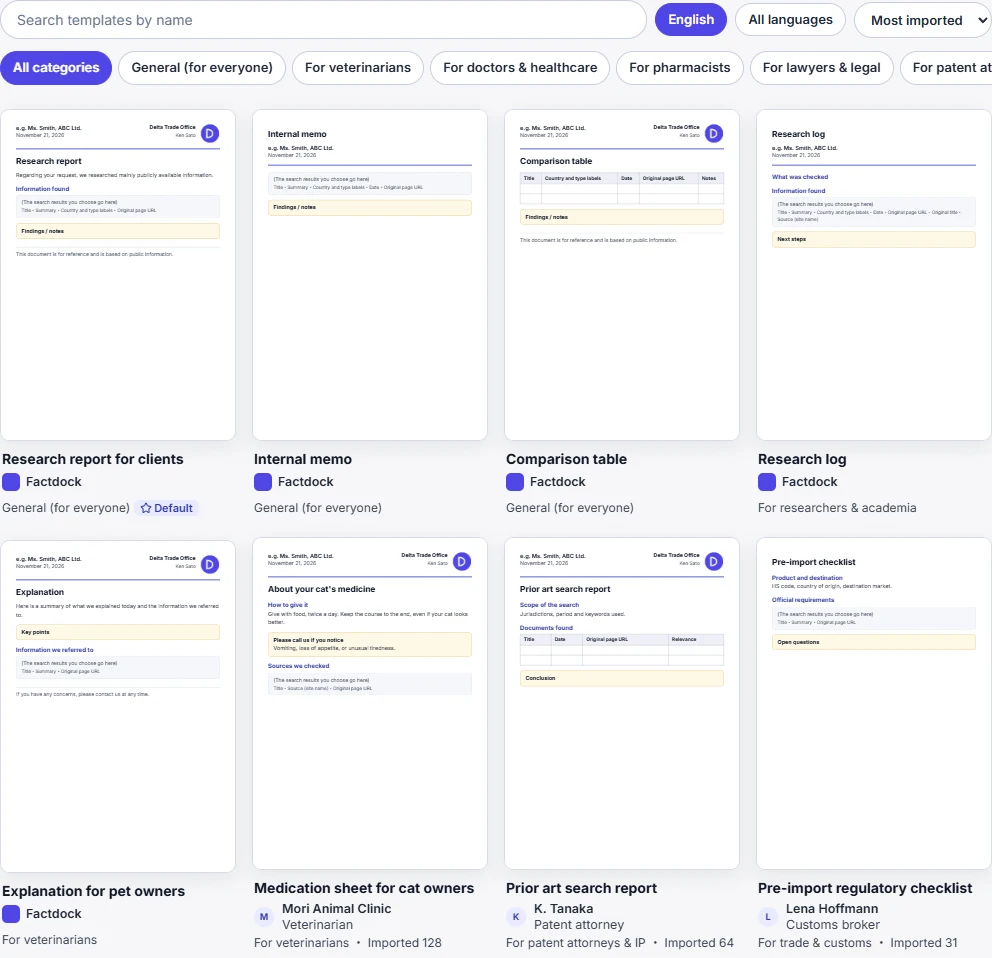
Choose by page preview
Every template is shown as a small preview that looks like the real document. Tap one to see it large.
Import it and make it yours
“Import to my templates” makes your own copy, so you can freely change the text and order.
Share your own template
Our staff review it before it goes public. Your company name, logo and the search results you added are not shared.
Authors receive “thank you”s
People who use your template can thank you in languages from around the world. You can appear with a pen name and icon.
Thanks 12
 Thanks 12
Three steps
- 1
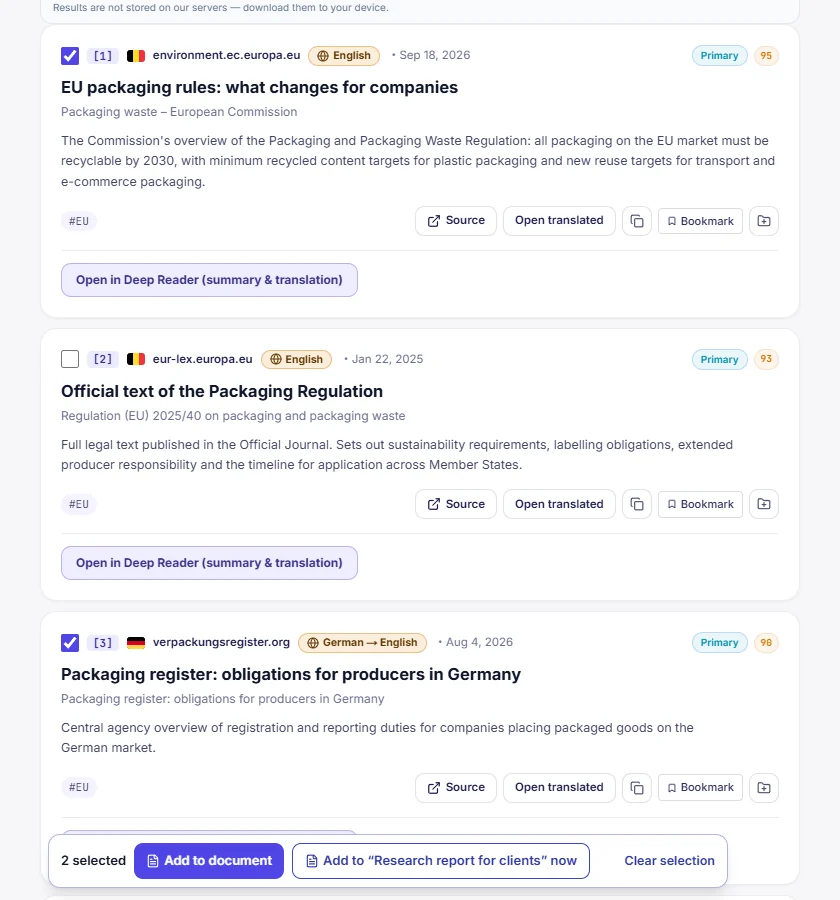
Tick the results
In search results or Bookmarks, tick the ones you want in your document. A bar with “Add to document” appears at the bottom.
- 2
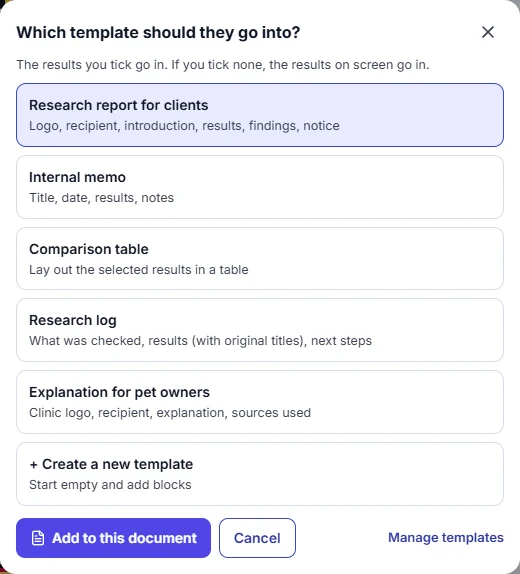
Choose a template
Choose from community templates or one you made yourself. Your default template has a one-click button.
- 3
Edit the text and save
Add the recipient and your findings, then print or save as PDF or Word.
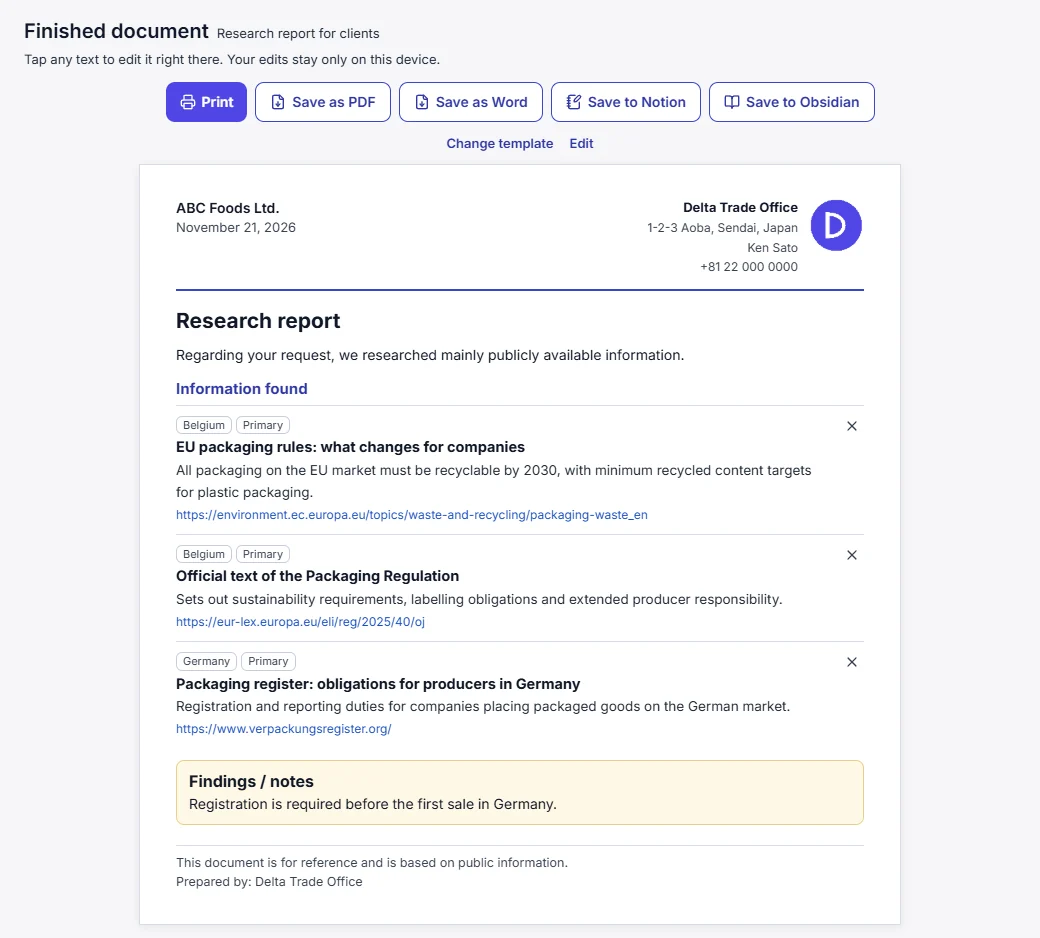
What the finished document looks like
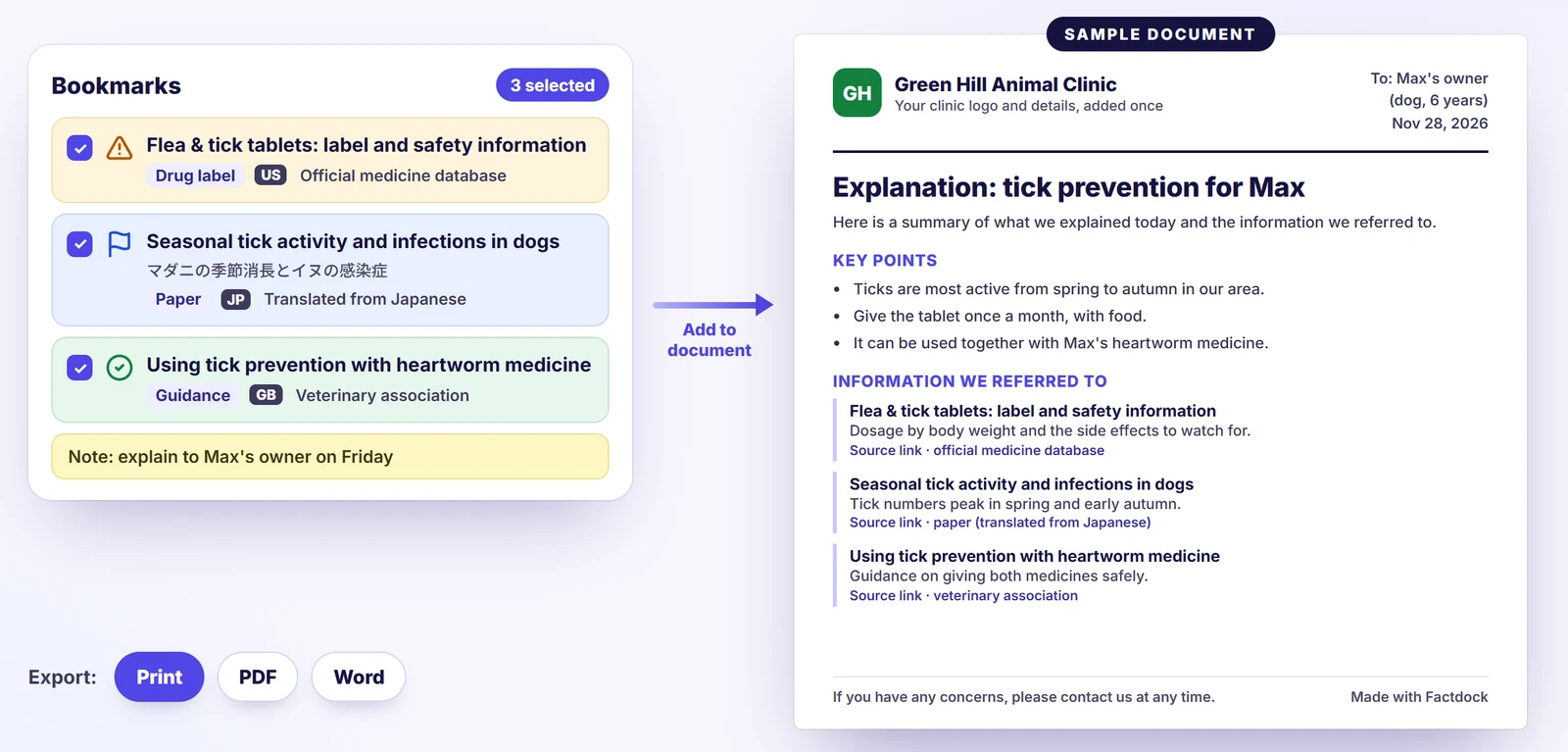
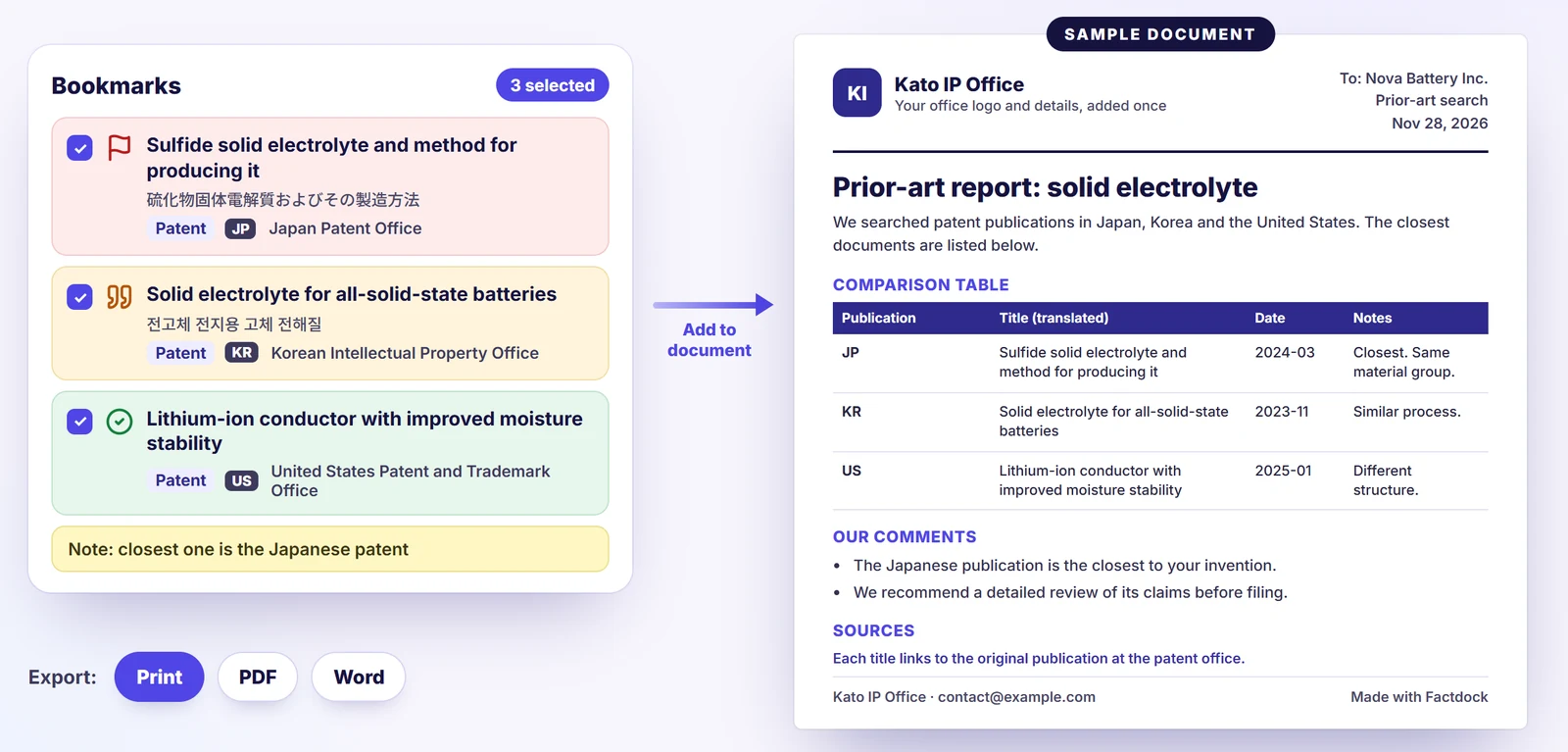
Two examples with sample data. Your own logo, wording and results go in the same way.
When it helps
Trade and consulting
When you research overseas regulations and put them into a report for a client
Patent attorneys and IP
When you turn patents and official documents you found into a comparison table for your team
Veterinarians
When you give pet owners an explanation together with the information you referred to
Researchers
When you keep a research log of the date, what you checked and the sources
Free
Work documents, and sharing or importing templates, use no credits. Factdock does not store your search results or finished documents (they stay only on your device).
Frequently asked questions
Does it cost anything?
No. Credits are used only when you search.
How do I share my own template?
Press “Share” on one of your templates to submit it. Our staff review it, and then it appears in Community templates. Sharing is for paid plans; anyone can view and import templates.
When I share, can others see my name or company?
Your company name, logo, address and the search results you added are not shared. As the author, you can appear with your public profile (pen name, icon and profession) or with no name.
Can I freely edit someone else’s template?
Yes. Importing makes your own copy, which you can edit freely. If the author later changes it or stops sharing it, your copy stays the same.
Can I use it on my phone?
Yes. Blocks are stacked vertically and you tap them to edit. You can save Word and PDF files on your phone too.
Can I lay it out freely like in Word?
Inside Factdock you arrange blocks. For detailed layout, save as Word and edit freely there.
Are my search results stored?
No. Only the shape of your templates and your company details are saved.
Access the world's knowledge with Factdock
Not sure where to start? Begin with the free demo: try it, read, and once you're convinced, start with 50% off your first month.
Start from $3Create an account in a minute. Starter and above are 50% off for the first 30 days. A credit card is required to sign up.